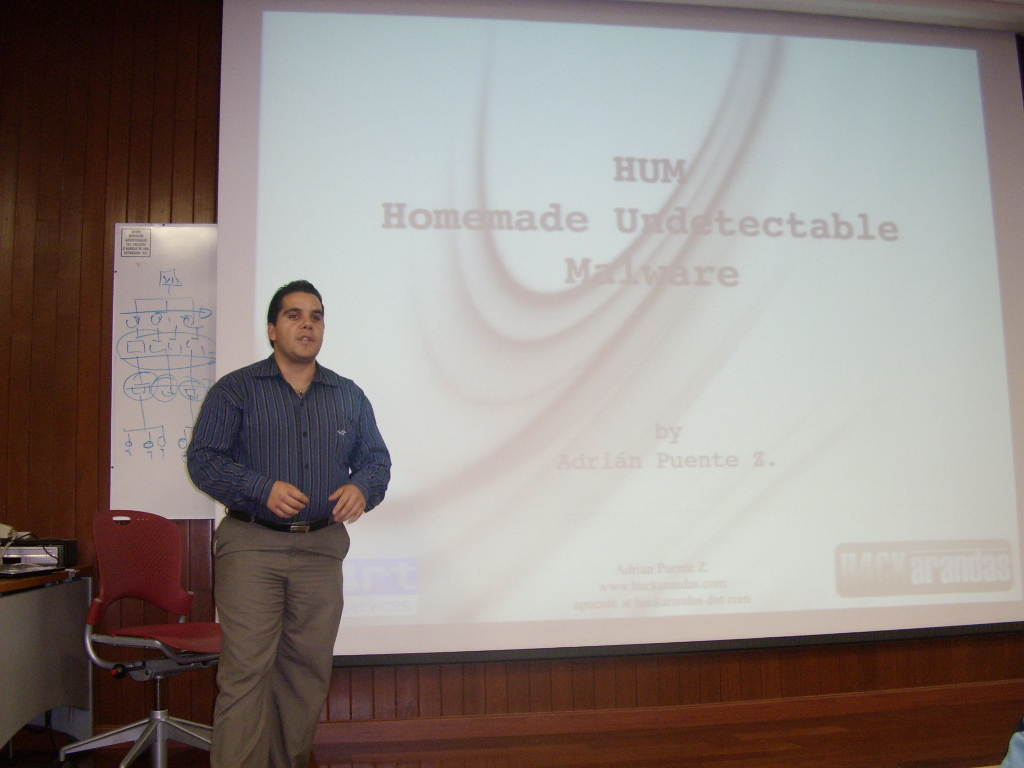
Conferencia: HUM – Homemade Undetectable Malware

HUM - Homemade Undetectable Malware Tengo el gusto de anunciarles que el Profesor Arturo García conocido en el Twitter cómo @ElProfeSeguro, me ha invitado a dar una conferencia sobre HUM o Homemade Undetectable Malware en el ITESM CCM.

No quiero adelantar mucho de la conferencia pero platicaré de mi experiencia creando malware indetectable cómo estos se propagan y describiré las herramientas que utlilizo cómo el Metasploit y el Social Engineer Toolkit en las pruebas de penetración que realizo y cómo las combino con el Malware para mayor efectividad.

  • Fecha: Martes 31 de agosto de 2010
  • Hora: 19:00 hrs
  • Duración: 90 minutos
  • Lugar: ITESM CCM, Aula Magna 1. Primer piso. Aulas II.
  • Entrada libre y gratuita.
  • Cómo llegar:

    Como llegar al ITESM CCM

    Espero verlos por ahi y un agradecimiento a Arturo García y al ITESM CCM por la invitación y las facilidades para dar la conferencia.

    ACTUALIZACION

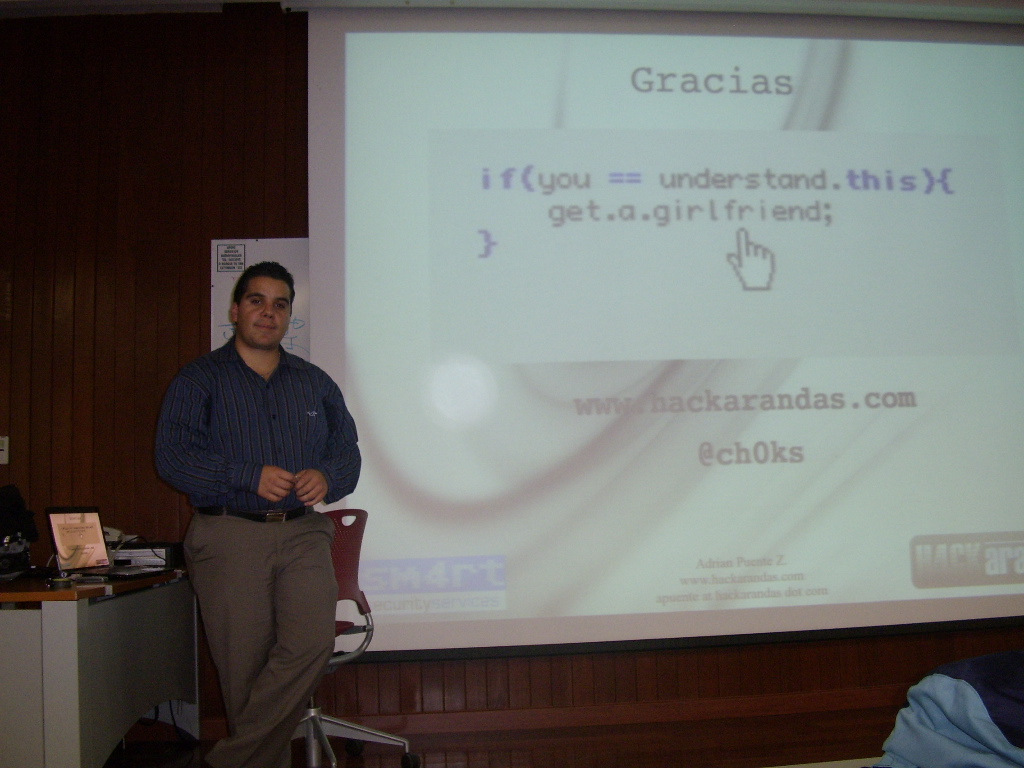
    Disfruté mucho dar la conferencia y un grupo muy participativo, realmente la pasé bien y tuve el gusto de conocer a @Paco_ dueño del interesante blog Hacking MX. Gracias a todos los que fueron y a quieren me invitaron y la presentación se las dejo en la sección de artículosdentro de mi blog o lo pueden descargar de la siguiente liga:

    Descarga la presentación
    HUM: Homemade Undetectable Malware

    Adrián Puente Z.

    Technorati Tags: , , , , , , , , ,

    Share
    Posted in Events, Hacking, Presentations, Security | Tagged , , , , , , , , , , | 3 Comments

    Can I reach it? Small Script for Network Connectivity Test

    I made this script so I can replicate a network connection test to some host. It’s really small but it works in all the cases and has some nice features as internal and external IP detection. It works in Linux, ideal for a pentest using Backtrack.

    Here is the Bash code.

    #!/bin/bash
    # Script by Adrian Puente Z..
    # Powered by Hackarandas www.hackarandas.com
    # Licensed by GNU GPLv3
    # http://www.gnu.org/licenses/gpl-3.0.txt
    
    [ `id -u` -ne 0 ] && echo "Only root can do that! sudoing..." 
    if [ "$EUID" != 0 ]; then sudo `which $0` $@; exit; fi
    
    [ $# -eq 0 ] && echo  "Syntax: `basename $0` " && exit 0
    
    # Setting the host from the first argument.
    HOST=$1
    # Maximun hops for traceroute.
    HOPS=15
    # Maximun packet for ping.
    PCOUNT=3
    
    IFACE=`route -vn | grep UG | sed 's/\ \ */\ /g' | cut -d' ' -f8`
    INTIP=`ifconfig ${IFACE} | grep "inet addr" | tr ' ' ':' | cut -d':' -f13`
    
    # Choose the method you like most.
    #EXTIP=`lynx --source http://www.whatismyip.org`
    #EXTIP=`wget -q http://www.whatismyip.org -O-`
    EXTIP=`curl -q http://www.whatismyip.org 2>/dev/null`
    
    echo "--- Internal IP: ${INTIP} ---"
    echo "--- External IP: ${EXTIP} ---"
    echo -e "\n--- Pinging...\n"
    ping -c ${PCOUNT} ${HOST}
    echo -e "\n--- Doing traceroute...\n"
    traceroute -m ${HOPS} ${HOST}
    echo -e "\n--- Checking open ports...\n"
    nmap -sSV -PN ${HOST}
    echo -e "\n--- Test finished..."

    You can change the parameters to fit your needs.

    Here is an example.

          --.^       (ch0ks@xipe)*(18:30:27)*(bin)      ^.--
    -=:)> checkconnection.sh www.google.com
    Only root can do that! sudoing...
    --- Internal IP: 192.168.11.5 ---
    --- External IP: A.B.C.D ---
    
    --- Pinging...
    
    PING www.l.google.com (74.125.95.106) 56(84) bytes of data.
    64 bytes from iw-in-f106.1e100.net (74.125.95.106): icmp_seq=1 ttl=51 time=67.2 ms
    64 bytes from iw-in-f106.1e100.net (74.125.95.106): icmp_seq=2 ttl=51 time=65.8 ms
    64 bytes from iw-in-f106.1e100.net (74.125.95.106): icmp_seq=3 ttl=51 time=66.3 ms
    
    --- www.l.google.com ping statistics ---
    3 packets transmitted, 3 received, 0% packet loss, time 2004ms
    rtt min/avg/max/mdev = 65.895/66.490/67.223/0.626 ms
    
    --- Making traceroute...
    
    traceroute to www.google.com (74.125.95.103), 15 hops max, 60 byte packets
     1  leviatan (192.168.11.250)  1.385 ms  1.465 ms  1.492 ms
     2  201.159.131.205 (A.B.C.D)  5.463 ms  5.511 ms  5.519 ms
     3  192.168.1.98 (192.168.1.98)  5.648 ms  5.710 ms  5.970 ms
     4  customer-58.xertix.com (201.159.136.58)  6.000 ms  6.067 ms  6.208 ms
     5  na-200-78-191-129.static.avantel.net.mx (200.78.191.129)  8.204 ms  8.264 ms  8.456 ms
     6  dial-200-39-225-125.zone-1.ip.dial.net.mx (200.39.225.125)  8.617 ms  6.470 ms  6.654 ms
     7  pos1-0.cr02.mca01.pccwbtn.net (63.218.161.69)  20.646 ms  20.614 ms  20.039 ms
     8  TenGE12-1.br02.dal01.pccwbtn.net (63.218.22.82)  303.761 ms * *
     9  google.tenge11-4.br02.dal01.pccwbtn.net (63.218.23.118)  33.544 ms  34.331 ms  34.501 ms
    10  72.14.233.85 (72.14.233.85)  61.329 ms 72.14.233.77 (72.14.233.77)  61.388 ms  61.520 ms
    11  216.239.47.121 (216.239.47.121)  69.114 ms  69.800 ms  69.511 ms
    12  209.85.253.173 (209.85.253.173)  68.657 ms 209.85.255.223 (209.85.255.223)  67.482 ms 209.85.253.173 (209.85.253.173)  68.568 ms
    13  209.85.241.29 (209.85.241.29)  66.212 ms  66.150 ms  66.263 ms
    14  iw-in-f103.1e100.net (74.125.95.103)  65.803 ms  65.757 ms  65.991 ms
    
    --- Checking open ports...
    
    Starting Nmap 5.00 ( http://nmap.org ) at 2010-08-20 18:31 CDT
    Warning: Hostname www.google.com resolves to 6 IPs. Using 74.125.95.104.
    Interesting ports on iw-in-f104.1e100.net (74.125.95.104):
    Not shown: 996 filtered ports
    PORT    STATE  SERVICE  VERSION
    21/tcp  open   ftp?
    80/tcp  open   http     Google httpd 2.0 (GFE)
    113/tcp closed auth
    443/tcp open   ssl/http Google httpd 2.0 (GFE)
    Service Info: OS: Linux
    
    Service detection performed. Please report any incorrect results at http://nmap.org/submit/ .
    Nmap done: 1 IP address (1 host up) scanned in 127.81 seconds
    
    --- Test finished...

    I hope you liked and helped. You can also visit other scripts and projects I have here. And please, leave your comments.

    Adrián Puente Z.

    , , , , ,

    Share
    Posted in Code, Security | Tagged , , , , , , | 1 Comment

    Uncomplicated File Wipe for *NIX

    We needed to guarantee to one of our customers that a file will be securely deleted. Since the server was a HPUX Unix and we can’t compile nor install new applications, I managed to write this script to wipe the file.

    The file is overwritten 7 times as the US Department of Defense clearing standard DoD 5220.22-M specifies and renamed another 7 times before being deleted. It is written for the KSH shell as many UNIX has it by default. It doesn’t run in bash but you can edit it to fit your needs.

    Here is the code:

    #!/usr/bin/ksh
    # Script by Adrian Puente Z..
    # Powered by Hackarandas www.hackarandas.com
    # Licensed by GNU GPLv3
    # http://www.gnu.org/licenses/gpl-3.0.txt
    
    # US Department of Defense clearing standard DOD 5220.22-M (ECE)
    PASES=7
    # Device to overwrite the file.
    # Can be:
    # /dev/random
    # /dev/urandom
    # /dev/zero (less secure, overwritten with zeros)
    RANDEV=/dev/urandom
    NAME=$$
    COUNT=0
    FILE=$1
    
    if [[ $# -eq 0 ]];then
    	print "Syntax: $0 "
    	exit 1
    fi
    
    if [[ ! -f $FILE ]]
    then
    	print "File $FILE doesn't exists"
    	exit 1
    fi
    
    if [[ ! -w $FILE ]]
    then
    	print "Can't write on file $FILE"
    	exit 1
    fi
    
    SIZE=$(ls -l $FILE | cut -d' ' -f5)
    
    print -n "About to wipe file: $FILE are you sure? \"N/y\": "
    read answer
    print ""
    
    if [[ ! ( $answer = 'y' || $answer = 'Y' ) ]]
    then
    	print "Command canceled."
    	exit 0
    fi
    
    while [[ $COUNT -lt $PASES ]];do
    	(( COUNT += 1 ))
    	print "Pass number: $COUNT"
    	dd if=$RANDEV of=$FILE bs=$SIZE count=1
    done
    
    COUNT=0
    echo "Renaming..."
    
    while [[ $COUNT -lt $PASES ]];do
            (( COUNT += 1 ))
            (( NAME += "$NAME$COUNT" ))
    	mv -v $FILE $NAME
    	FILE=$NAME
    done
    
    rm -v $FILE
    FILE=$1
    echo File: $FILE deleted.
    exit 0

    The syntax is simple:

          --.^       (ch0ks@xipe)*(20:38:05)*(~)      ^.--
    -=:)> uncomplicatedwipe.ksh 
    Syntax: uncomplicatedwipe.ksh 

    You can follow this commands to test the script:

     hexdump /dev/urandom > foo.txt 
    #after some seconds press CTRL+C 

    Now we wipe the file

          --.^       (ch0ks@xipe)*(20:36:00)*(tmp)      ^.--
    -=:)> uncomplicatedwipe.sh foo.txt 
    About to wipe file: foo.txt are you sure? "N/y": y
    
    Pass number: 1
    1+0 records in
    1+0 records out
    15477760 bytes (15 MB) copied, 4.01637 s, 3.9 MB/s
    Pass number: 2
    1+0 records in
    1+0 records out
    15477760 bytes (15 MB) copied, 3.87637 s, 4.0 MB/s
    Pass number: 3
    1+0 records in
    1+0 records out
    15477760 bytes (15 MB) copied, 5.451 s, 2.8 MB/s
    Pass number: 4
    1+0 records in
    1+0 records out
    15477760 bytes (15 MB) copied, 4.48904 s, 3.4 MB/s
    Pass number: 5
    1+0 records in
    1+0 records out
    15477760 bytes (15 MB) copied, 3.88731 s, 4.0 MB/s
    Pass number: 6
    1+0 records in
    1+0 records out
    15477760 bytes (15 MB) copied, 3.98379 s, 3.9 MB/s
    Pass number: 7
    1+0 records in
    1+0 records out
    15477760 bytes (15 MB) copied, 3.2128 s, 4.8 MB/s
    Renaming...
    `foo.txt' -> `69257'
    `69257' -> `761829'
    `761829' -> `8380122'
    `8380122' -> `92181346'
    `92181346' -> `1013994811'
    `1013994811' -> `11153942927'
    `11153942927' -> `122693372204'
    removed `122693372204'
    File: foo.txt deleted.

    In the next release I will make a recursive version for directories and you can visit my other projects here.

    Troubleshoot: Some Unix systems doesn’t have /dev/urandom device so you can play with the RANDEV variable to use the one you have.

    Update: Some versions of HPUX doesn’t have /dev/[u]random so you can use as a desperate alternative the /dev/zero device. I found in a forum that some versions of HPUX doesn’t have the /dev/zero device so you can create it with this command:

    #!/bin/sh
    
    # major/minor for HPUX 11.X
    mknod /dev/zero c 3 4
    chown bin:bin /dev/zero
    chmod 666 /dev/zero

    Adrián Puente Z.

    , , , , , , , ,

    Share
    Posted in Code, Hacking, Security | Tagged , , , , , , | Leave a comment

    Infographic: Phishing for Your Money

    Here again with another infographic I found, now on Phishing. I hope you like it as much as I do.

    Technorati Tags:, , , ,
    Generated By Technorati Tag Generator

    Sources:
    * http://www.gobankingrates.com/banking/protect-yourself-from-phishers-infographic/
    * http://www.trusteer.com/sites/default/files/Phishing-Statistics-Dec-2009-FIN.pdf
    Adrián Puente Z.

    Share
    Posted in Articles, Inphographic, Phishing, Security | Tagged , , , , , , , , | Leave a comment

    Infographic: A Short Story on Hacking

    I found this great infographic about hacking and I thought in sharing it. I hope you found it as interesting as I did.

    The History of Hacking
    Via: Online MBA

    Technorati Tags:, , , ,
    Generated By Technorati Tag Generator

    Adrián Puente Z.

    Share
    Posted in Hacking, Inphographic, Security | Tagged , , , , , , | Leave a comment

    Google Docs introduce reconoci…

    Google Docs introduce reconocimiento OCR para reconocer texto en PDFs y en imágenes http://bit.ly/c2S29g /cc @feedly

    Share
    Posted in HackTwitts | Tagged , | Leave a comment

    Researchers find 12 zero day f…

    Researchers find 12 zero day flaws, targeting 5 web malware exploitation kits #security #infosec | ZDNet http://bit.ly/aCXhYP

    Share
    Posted in HackTwitts | Tagged , | Leave a comment

    SSH Hacking and Good Practices

    I got to confess that I am a big podcast fan and one I am fond of is PaulDotCom – Security Weekly (I also hear it while I am jogging) So when I read in the blog the Mark Baggett’s post: Capturing SSH V1 & V2 Credentials with a MitM ssh honeypot I just feel like “I have to try it”. So I did and wrote this presentation for Sm4rt Security Services’ Tech Day, but I wanted to go further so I wrote it in a way that can be useful for the Pentesters and the Information Security Officers in the company.

    In the first part I talk about some basic concepts about SSH then I got for the hacking part so I give a demonstration based on the Mark Baggett’s post and I finish giving come SSH security tips based on my experience and some articles I found on Internet. I hope you found it interesting.

    You can download it from here:

    SSH Hacking and Good.Practices by Adrian Puente Z. (PDF Presentation)

    Please visit my other Hacking Projects o Security Articles.

    If you have something valuable to add to this presentation, please leave your comment.

    References:

    Adrián Puente Z.

    Technorati Tags:

    Share
    Posted in Articles, Hacking, Presentations, Security | Tagged , , , , | 2 Comments

    Viral clickjacking FB worm spr…

    Viral clickjacking FB worm spreads: Another clickjacking attack has recently been released http://bit.ly/9RoeGa #security #infosec

    Share
    Posted in HackTwitts | Tagged , | Leave a comment

    Yet another phishing attack to…

    Yet another phishing attack to be aware of. This one’s sly and nasty. http://bit.ly/b9peAT

    Share
    Posted in HackTwitts | Tagged , | Leave a comment